
WhatsApp introduces new Image-to-Sticker feature

WhatsApp introduces new Image-to-Sticker feature
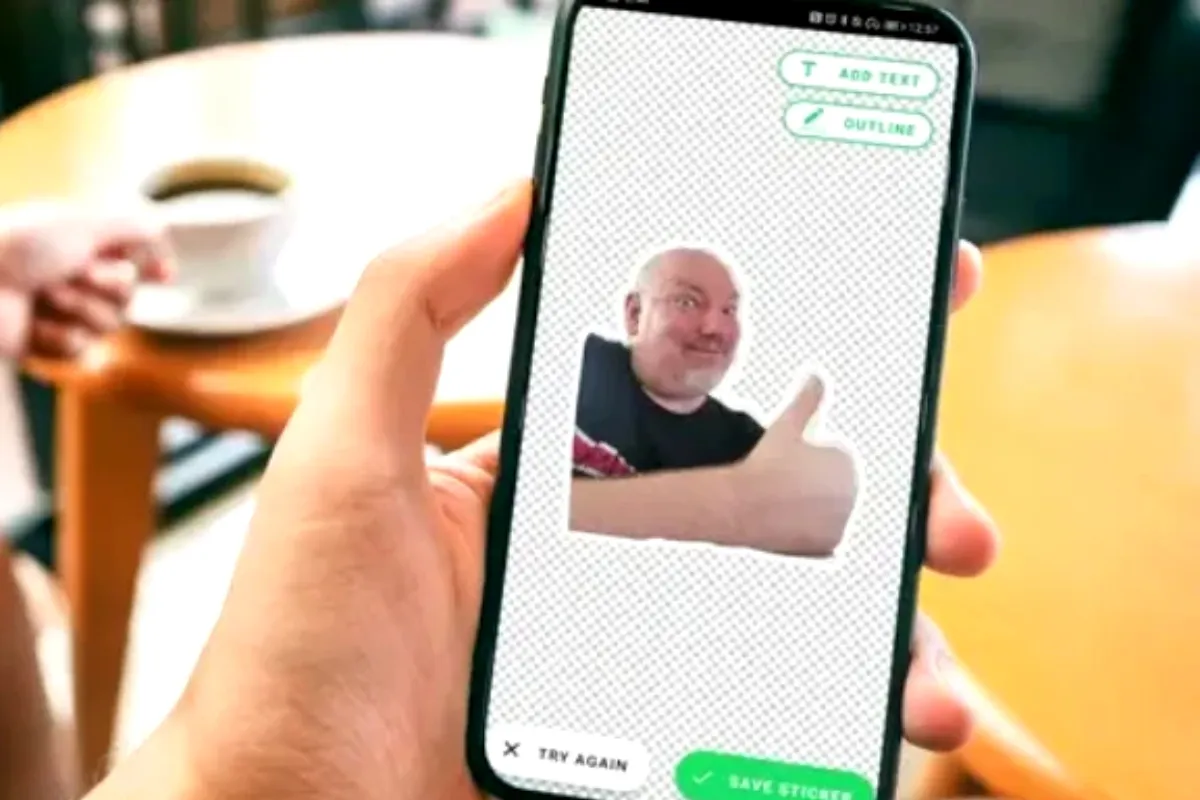
WhatsApp just dropped Image-to-Sticker – a handy shortcut for zapping any photo straight into a sticker. Rolling out to some users now, more soon!
Meta’s chat king says: Tap an image, and boom – sticker menu pops with two choices. First? Jump to the editor for tweaks and variations, just like always.
It’s all about smoother vibes, so you keep chatting with pals and fam without eyeing the door.
This nifty path skips the old overflow menu hassle – same result, way quicker.
Quick How-To for Image Stickers:
- Open a chat, hit the sticker icon.
- Tap ‘Create’, pick gallery pic.
- WhatsApp auto-zaps the background, outlines it.
- Jazz it up: Text, doodles, emojis from top bar.
- ‘Send’ to share or fave it.
AI Sticker Magic:
- Sticker tab > ‘Create’.
- Hit ‘Generate with AI’.
- Type what you want, pick and send from AI options.
Faster, funner stickers mean spicier convos. No more fumbling – just tap and go! Coming to you soon.
Catch all the Technology News, Breaking News Event and Trending News Updates on GTV News
Join Our Whatsapp Channel GTV Whatsapp Official Channel to get the Daily News Update & Follow us on Google News.
Must Read


Pakistan
Bilawal Bhutto Pays Tribute to Karsaz Martyrs, Calls for Unity Against Terrorism
18-October،2026